So, you’ve built a website — great start! But now comes the real challenge: getting people to find it, love it, and take action. Here’s the good news: you don’t need a massive marketing budget or a team of tech wizards. You just need to know how to use the right Google tools smartly.
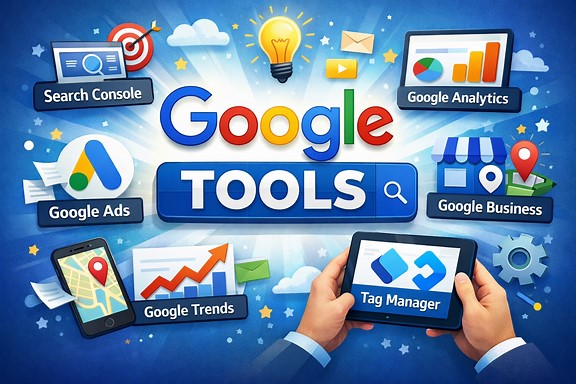
Let’s dive into six powerful (and mostly free!) tools that can help you boost visibility, attract visitors, and grow your business online.
- Google Analytics
Google Analytics is the most popular and powerful web analytics tool in the world. It allows you to track and measure your website traffic, conversions, bounce rate, user behavior, demographics, sources, and much more. You can also set up goals, events, segments and custom reports to get deeper insights into your website performance and user experience.
- Google Search Console
Google Search Console is a must-have tool for any website owner who wants to rank well in Google search results. It helps you monitor your website’s health, performance, and visibility on Google. You can also use it to submit your sitemap, fix crawl errors, optimize your site speed, check your mobile usability, request indexing, see your backlinks, analyze your keywords, and optimize your snippets. Google Search Console can help you improve your SEO and boost your organic traffic.
- Google My Business
Google My Business is a free tool that allows you to create and manage your online presence on Google Maps and Google Search. It lets you showcase your business information, location, hours, reviews, photos, products, and services to potential customers who are searching for businesses like yours. You can also use it to interact with your customers, post updates, respond to reviews, and get insights into how people find and engage with your business.
- Google Ads
Google Ads is the most popular and effective online advertising platform in the world. It allows you to create and run ads on Google search results, YouTube, Gmail, and other websites and apps that are part of the Google network. You can target your ads based on keywords, location, audience, device, time, and more. You can also set your budget, bid strategy, and performance goals. You only pay when someone clicks on your ad or takes an action that you want.
- Google Optimize
Google Optimize is a free tool that allows you to test and optimize your website for a better user experience and conversion rate. It lets you create and run different versions of your web pages or elements (such as headlines, images, buttons, etc.) and see how they perform compared to the original version. You can also use it to personalize your website for different segments of users based on their behavior, preferences, or characteristics.
- Google Workspace
Google Workspace is a suite of cloud-based productivity and collaboration tools that can help you run your business more efficiently and effectively. It includes Gmail, Calendar, Drive, Docs, Sheets, Slides, Forms, Meet, Chat, and more. You can use these tools to communicate with your team and clients, create and share documents, spreadsheets, presentations, and forms, store and access files from any device, schedule meetings and events, conduct video calls and chats, and more.
Closing thoughts
So far, we’ve learned that
- Google Workspace can help you save time, money, and resources while enhancing your productivity and creativity.
- Google Optimize can help you improve your website’s design, usability, and functionality.
- Google Ads can help you reach more customers, generate more leads and sales, and grow your revenue.
- Google My Business can help you attract more local customers and increase brand awareness.
- Google Analytics can help you identify what works and what doesn’t on your website and how to improve it.
Now it’s time to make the most of these top 6 Google tools and expand your website’s presence.